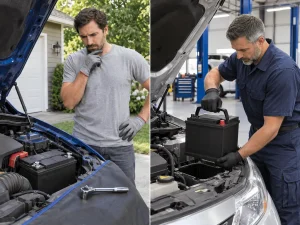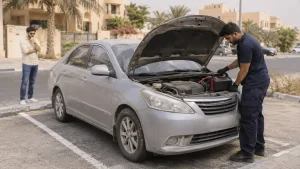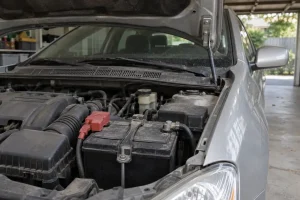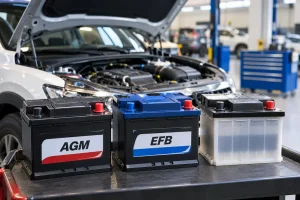
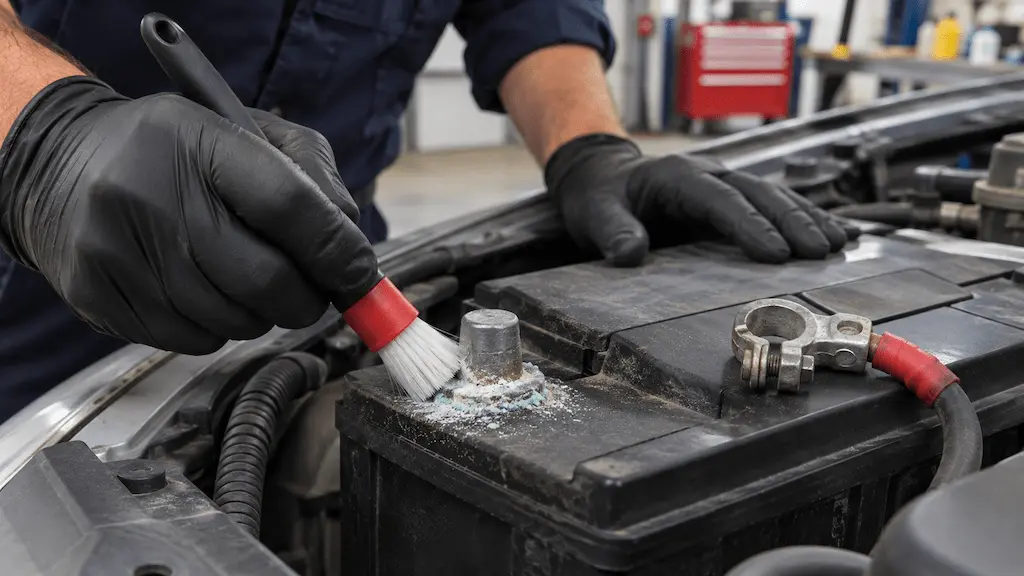
It is 7 a.m. in Dubai, and instead of the engine turning over you get a slow, tired crank, or just a click. You pop the bonnet and there it is: a white, crusty coating around the battery terminals, sometimes with a blue-green tint. That crust is battery corrosion, a common reason a healthy battery suddenly will not start. The good news is that light corrosion is a twenty-minute driveway job with baking soda, water and a brush.
This guide shows you how to clean car battery corrosion safely, what the color of the crust tells you about your car, and when cleaning is not enough, including where to get a car battery in Dubai if yours is finished.
Overview Related to Cleaning Car Battery Corrosion
If you just want the method, here it is. The detail, the safety warnings and the “when to stop” signs follow below.
- Switch everything off, take the key out, and open the bonnet.
- Inspect first, if the case is swollen, cracked or leaking, do not clean it. The battery needs replacing.
- Disconnect the negative (black) cable first, then the positive (red) cable.
- Mix 1 tablespoon of baking soda into 1 cup of warm water.
- Apply the solution to the corroded terminals and let it fizz for a minute or two.
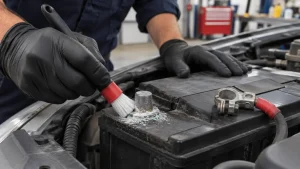
- Scrub the posts and the inside of the clamps with a wire brush or old toothbrush until the metal is bright.
- Wipe clean with a damp rag, dry everything completely, then reconnect positive first, then negative.
- Smear a thin layer of petroleum jelly over the terminals to stop the corrosion coming back.
What Is Car Battery Corrosion?
Battery corrosion is the crusty, powdery deposit that builds up on a car battery’s terminals and cable clamps. It is usually white, grey, blue or green, and it feels dry and chalky. It is not dirt. It is a chemical compound mostly lead sulfate or copper sulfate formed when gases from inside the battery react with the metal terminals and the air around them.
Every standard car battery is a lead-acid battery, filled with sulfuric acid and water. As it charges and discharges, it releases small amounts of hydrogen gas. That gas often carries microscopic droplets of sulfuric acid with it. When the vapor settles on the lead battery posts and the copper or brass terminal clamps, it reacts with them, and with moisture in the air, to form those insulating crystals. The deposits are non-conductive, which is the whole problem: they sit exactly where the electrical connection happens, adding resistance between the battery and the starter. The starter cannot draw the current it needs, so the engine cranks slowly, clicks, or does not start at all, even when the battery itself still holds a charge.
Corrosion also stops the alternator from fully recharging the battery while you drive. A car with corroded terminals can slowly run its battery down over a few weeks, which is why the problem often seems to appear suddenly on a morning when nothing was wrong the night before.
What Causes Battery Terminal Corrosion?
Some gassing is normal in every lead-acid battery, and a light dusting of corrosion over a year or two is ordinary wear. Heavy or fast-returning corrosion means something is pushing the chemistry harder than normal. The main causes are:
Overcharging:
A healthy alternator produces about 13.7 to 14.7 volts. If its voltage regulator fails and pushes voltage above roughly 14.7–14.8 volts, it boils the electrolyte, which vents far more acid vapour than normal. This is the most common cause of heavy corrosion on the positive terminal.
Undercharging:
If the alternator is not producing enough voltage, or the car only ever does short trips, the battery lives in a constant state of deficit. That leads to sulfation on the internal plates and corrosion on the negative terminal. School runs and short commutes in Dubai are a classic cause, the alternator never gets long enough to replace what starting the car used.
Electrolyte leakage:
A cracked case, a damaged seal around a terminal post, or an overfilled battery lets acid escape directly onto the terminals. This causes aggressive, fast corrosion, and it is a sign the battery itself is failing.
Loose connections:
A clamp that is not tight vibrates as you drive, causing microscopic arcing and heat at the joint. That heat accelerates the chemical reaction and the corrosion builds faster.
Heat and humidity.
High under-bonnet temperatures speed up every chemical reaction in and around a battery, and moisture in the air gives the reaction something to work with. This is why corrosion is a bigger problem in Dubai than in cooler climates: a car parked in the summer sun can have under-bonnet temperatures far above the air temperature, and the battery is already working harder than it would elsewhere. That is also why the battery itself matters, not just the terminals. Our guide to the best car battery in the UAE explains how to match type, size and specification to your car rather than picking a brand first.
Dissimilar metals:
Copper cable clamps on lead battery posts create a small galvanic reaction wherever moisture and acid vapour are present. That is one reason the blue-green copper sulfate appears more on the positive side, which carries the higher current during charging.
What the Colour of the Corrosion Tells You
The colour and the terminal it sits on are a useful first diagnosis. They will not replace a proper test, but they point at the likely cause.
| Where it is | What it looks like | What it usually means |
|---|---|---|
| Positive (+) terminal | Blue-green, chunky crust | Copper sulfate , overcharging, often a faulty voltage regulator |
| Positive (+) terminal | White powder | Acid vapour from overcharging or a leaking post seal |
| Negative (−) terminal | White or grey, fluffy crystals | Lead sulfate , undercharging, weak alternator, or short trips |
| Either terminal | Brown or orange residue | Moisture or rust, often where water has pooled around the tray |
| Under the cable insulation | Green strands inside the copper | Corrosion has wicked into the cable, a surface clean will not fix it |
If the corrosion keeps coming back on the same terminal within a few weeks of cleaning, the colour is telling you the root cause is still there. Cleaning treats the symptom. The charging system, or the battery itself, still needs checking.
Is Car Battery Corrosion Dangerous?
The residue itself is acidic and can irritate skin and eyes, so treat it like a hazardous cleanup, not like dust. Wear chemical-resistant gloves and eye protection, keep the powder out of your eyes, and wash your hands thoroughly afterwards. Battery Council International guidance notes that exposure to battery acid can cause chemical burns, and a swollen battery can leak or rupture , the US National Highway Traffic Safety Administration warns against using one at all.
A battery also produces hydrogen gas, which is flammable, and it can deliver a very high current if the terminals are shorted. Never let a metal tool touch both terminals at once, and never work on a battery near a naked flame or while smoking.
Do not clean a battery that is swollen, bulging, cracked, leaking fluid, hot to the touch, or giving off a strong rotten-egg smell. Those are signs of internal damage. Replace the battery, or have a technician replace it, rather than trying to clean it. The same applies to any battery in a hybrid or electric car: this guide covers a conventional 12-volt lead-acid battery only, never a high-voltage traction pack.
What You Need Before You Start
You probably already own most of this. The whole job takes 10 to 20 minutes.
- Baking soda (sodium bicarbonate)
- A cup of warm water, plus a small bowl or spray bottle
- An old toothbrush, a stiff wire brush, or a dedicated battery terminal brush
- Clean rags
- A wrench that fits your terminal clamps, usually 8 mm or 10 mm
- Rubber or chemical-resistant gloves and safety glasses
- Petroleum jelly, dielectric grease, or a battery terminal protector spray
- Optional: felt anti-corrosion washers that sit under the clamps
Do not use cola, coffee or any other drink as a cleaner. It is a trick that circulates online, but the sugar and acid in soft drinks leave a sticky residue that attracts more corrosion, and they do not neutralise battery acid the way baking soda does. Stick to baking soda and water, or a purpose-made terminal cleaner.
How to Clean Car Battery Corrosion Step by Step
Step 1: Switch Everything Off and Inspect the Battery
Turn off the engine, the lights and all accessories, take the key out of the ignition, and open the bonnet. Before you touch anything, look at the battery itself. If the case is swollen or bulging, cracked, leaking fluid, or the terminals look melted or eaten away, stop. That battery is not a cleaning job. It needs testing and almost certainly replacing.
Check the cables too. If a cable is swollen, stiff, or green under the insulation near the clamp, the corrosion has travelled inside the copper. Cleaning the outside will not restore it, and the cable will need cutting back to clean copper or replacing.
Step 2: Disconnect the Negative Terminal First
Loosen the clamp on the negative terminal first. It is marked with a minus sign and usually has a black cable. Move the cable aside and tuck it where it cannot touch the terminal while you work.
Then loosen the positive terminal, marked with a plus sign and usually a red cable, and move that aside too. This order matters. If your wrench accidentally touches metal bodywork while you are loosening the positive terminal, and the negative cable is still connected, you create a dead short , sparks, a damaged battery, or worse. Disconnecting the negative first removes that risk entirely. AAA’s battery removal guidance gives the same order for the same reason.
If a bolt is seized with corrosion, do not force it. Spray penetrating oil on it, wait a few minutes, and try again. Forcing a corroded bolt can crack a lead terminal post, and a damaged post means a new battery sooner than you planned.
Step 3: Mix the Baking Soda Solution
Mix 1 tablespoon of baking soda into 1 cup of warm water and stir until it dissolves. For heavy corrosion, make a thicker paste instead, about 1 part baking soda to 3 parts water, the ratio Les Schwab publishes in its terminal-cleaning guide. Baking soda is a mild base, so it neutralizes the sulfuric acid on contact. You will see it fizz when it touches the corrosion. That bubbling is the acid being neutralized, and it is exactly what you want to see.
Step 4: Apply the Solution and Let It Fizz
Spoon, brush or spray the solution onto the corroded terminals and clamps. Let it sit for a minute or two while it fizzes. On heavy buildup, apply it twice. Keep the solution on the outside of the battery, do not let it run into the vents on top of the case, where it could get inside and dilute the electrolyte.
Step 5: Scrub Until the Metal Is Bright
Scrub the battery posts and the inside of each cable clamp with the wire brush or toothbrush until the metal is clean and shiny. This is the step that actually fixes the connection: you need bright, bare metal on both surfaces, because that is where the current flows. Be firm but do not gouge the lead. Never use a screwdriver or chisel to chip corrosion off a terminal post, you will score the soft lead, and a damaged post will corrode faster and grip worse than before.
Step 6: Rinse With a Damp Rag and Dry Completely
Wipe everything down with a rag dampened with clean water to remove the remaining solution and debris. Do not pour a bucket of water over the battery or hose down the engine bay. Water can get into the battery vents, pool in the tray and rust it, and splash onto electronics that were never meant to get wet. A damp rag does the job.
Then dry the posts, clamps and tray thoroughly with a clean, dry rag. Any moisture left behind becomes the starting point for the next round of corrosion.
Step 7: Reconnect Positive First, Then Negative
Reconnect in the reverse order: positive cable first, then negative. Seat each clamp fully down on its post and tighten it snugly. It should not move if you wiggle it, but do not overtighten, lead posts are soft, and too much force can crack them or deform the clamp. If a clamp will not tighten properly because it is stretched or corroded thin, it needs replacing, not more force.
Step 8: Protect the Terminals
Smear a thin layer of petroleum jelly over the terminals and clamps, or spray a dedicated battery terminal protector. This creates a barrier that keeps acid vapour and moisture away from the metal, which is what stops the corrosion from returning. Felt washers under the clamps do the same job by absorbing acid vapour before it reaches the terminal. This is the step most people skip, and it is the reason their corrosion comes back in a month.
Start the car. It should crank noticeably faster if corrosion was the problem. Let it run for a few minutes and check that the dashboard shows no battery warning light.
Mistakes to Avoid When Cleaning Battery Corrosion
- Cleaning the terminals while they are still connected: You risk a short circuit, sparks, and damage to the car’s electronics. Always disconnect first.
- Chipping corrosion off with a screwdriver or chisel: It gouges the soft lead post and makes the next round of corrosion worse.
- Pouring water over the battery to rinse it: Use a damp rag. Flooding the area risks the vents, the tray and nearby electronics.
- Using cola or vinegar as a cleaner: Cola leaves sugar behind; vinegar is itself an acid and does not neutralize battery acid. Baking soda and water is the right chemistry.
- Overtightening the clamps: A cracked lead post is a new battery, not a tighter connection.
- Skipping the protective coating: Cleaning without protection is a temporary fix. The corrosion will be back.
- Cleaning a swollen, cracked or leaking battery: That is not a maintenance job. It is a replacement job, and handling it yourself risks acid burns.
How to Stop Battery Corrosion Coming Back in Dubai
Cleaning fixes the terminals. Prevention is about removing the conditions that made the corrosion in the first place.
Check the terminals at least twice a year: AutoZone recommends twice-yearly checks as a minimum, and in Dubai’s heat, checking at the start of summer and again before winter is a sensible rhythm. A quick look under the bonnet costs nothing and catches corrosion while it is still light.
Keep the clamps tight and the battery secure: A loose battery vibrates on Dubai’s speed bumps, and vibration stresses the case and the connections. Make sure the hold-down is fitted and the clamps do not move.
Use felt washers and grease every time: After any clean, or whenever a battery is fitted, a thin coat of petroleum jelly or dielectric grease on the terminals is the cheapest prevention there is.
Drive longer trips when you can: Short school runs and quick trips to the shops never give the alternator time to fully recharge the battery, and chronic undercharging is one of the main causes of negative-terminal corrosion. A weekly 20 to 30-minute drive at steady speed helps more than most drivers expect.
Park in the shade where possible: Under-bonnet heat is the main reason batteries in the UAE last two to three years rather than four or five, and heat accelerates corrosion as well as ageing. Shade genuinely helps, especially in summer.
Have the charging system tested if corrosion keeps returning: Corrosion that comes back within weeks is a symptom, not the disease. The alternator output, the voltage regulator and the battery’s own health all need testing before another clean will stick. Battery Fly’s technicians test the battery and charging system on site, and if the battery is finished, a mobile car battery replacement in Dubai fits the new one at your door.
When Cleaning Is Not Enough: Get the Battery Tested
Sometimes the crust is the least of it. Cleaning restores the connection, but it cannot recharge a discharged battery, repair a leaking post seal, fix a broken cable, or correct a charging fault. Book a test, or a replacement, if any of these apply:
If you are comparing options before you spend anything, our guide to buying a car battery online vs having one fitted lays out what the online price leaves out.
- The corrosion returns within a few weeks of cleaning. The root cause is still there, usually overcharging, undercharging or a leaking seal.
- The case is swollen, bulging, cracked or leaking. Replace it. Do not clean it.
- The car still cranks slowly after a thorough clean. The battery itself is likely weak, or the cable is corroded inside its insulation.
- The battery is three to five years old, or two to three years old in Dubai heat, and has never been tested. Age and heat together are the most common reason a battery that looks fine is actually finished.
- A load test fails. A battery that drops below about 9.6 volts during a 15-second load test at half its rated CCA, or sits below 12.2 volts after resting overnight, is not going to recover.
- The terminals or clamps are eaten away. A clamp thinned or pitted by corrosion will never grip properly again and needs replacing.
A proper test takes a few minutes and answers the question cleaning cannot: is the battery itself still good? BatteryFly’s technicians test the battery before replacing anything, so you find out whether you need a clean, a charge, or a new battery before spending on one. If it does need replacing, that is what our mobile replacement service is for, the technician comes to your home, office or roadside, fits the right battery, and takes the old one away for recycling. Whichever route you take, remember to check the battery manufacturing date before you accept a new unit, a battery that spent a year in a warehouse has already used part of its life.
Frequently Asked Questions
Can I drive with corroded battery terminals?
You can, for a while, but you should not leave it. Corrosion adds resistance at the terminals, so the starter gets less current and the alternator cannot recharge the battery properly. The car may start fine for weeks and then fail without warning, usually on a hot morning when the battery is already stressed. A twenty-minute clean now is cheaper than a no-start later.
Does corrosion mean my battery is dead?
Not necessarily. Light corrosion on the terminals is often just a connection problem, and cleaning it can restore normal starting. But heavy corrosion, corrosion that returns quickly, or a battery that is several years old can mean the battery itself is failing. If cleaning does not fix slow cranking, have the battery and charging system tested.
Can I use Coca-Cola or vinegar to clean battery corrosion?
It is better not to. Cola leaves a sticky sugar residue that attracts more corrosion, and vinegar is an acid, so it does not neutralise battery acid. Baking soda mixed with water is the right chemistry: it neutralises the acid, it is cheap, and it rinses clean. Purpose-made terminal cleaner works too.
How often should I clean my car battery terminals?
Check them at least twice a year, and clean them whenever you see buildup. In Dubai, check at the start of summer and again before winter, and more often if your car does short trips or parks in direct sun. If corrosion returns within weeks of cleaning, the problem is the charging system or the battery, not the terminals.
Will cleaning the terminals fix a car that will not start?
Sometimes. If the battery is healthy and corrosion is the only problem, cleaning restores the connection and the car starts. If the car still clicks or cranks slowly after a good clean, the battery may be discharged or worn out, the cable may be corroded inside, or the starter or alternator may be at fault. That is the point to have it tested rather than cleaning it again.
Conclusion
Battery corrosion looks alarming, but light corrosion is one of the few car problems you can fix in your driveway in twenty minutes with baking soda, water and a brush. Disconnect negative first, neutralize the acid, scrub to bright metal, dry everything, reconnect positive first, and protect the terminals so it does not come straight back. Just as important is knowing when to stop: a swollen, cracked or leaking battery, corrosion that returns within weeks, or slow cranking after a clean all mean the battery or the charging system needs testing, not another scrub. In Dubai’s heat, batteries work harder and age faster than they do elsewhere, so a quick terminal check twice a year is one of the cheapest habits a driver can keep.